
Devlog 8 min read
Designing a handball game from scratch
Devlog #1: why there is still no handball game that feels like handball, and the first decisions behind Hyper Handball — arcade or simulation, camera, court size, team size and tech stack.
I’ve been around handball since I was a kid. It has always been more than just a sport to me. But there’s one thing I’ve always missed: a video game that actually feels like handball.
To be clear, I’m not talking about a AAA production with licensed leagues and motion capture. Just a fun game I can play on my own, or with friends on the couch. And judging by every “is there a good handball game?” thread out there, I’m not the only one.
There have been attempts in the past. They just didn’t quite get there. So three months ago, I decided to try making one myself. This post is the written version of the first episode of the Hyper Handball devlog. It covers the decisions that come before any of the fun stuff: what kind of game this is, where the camera sits, how big the court is, how many players are on it, and what it’s built with.
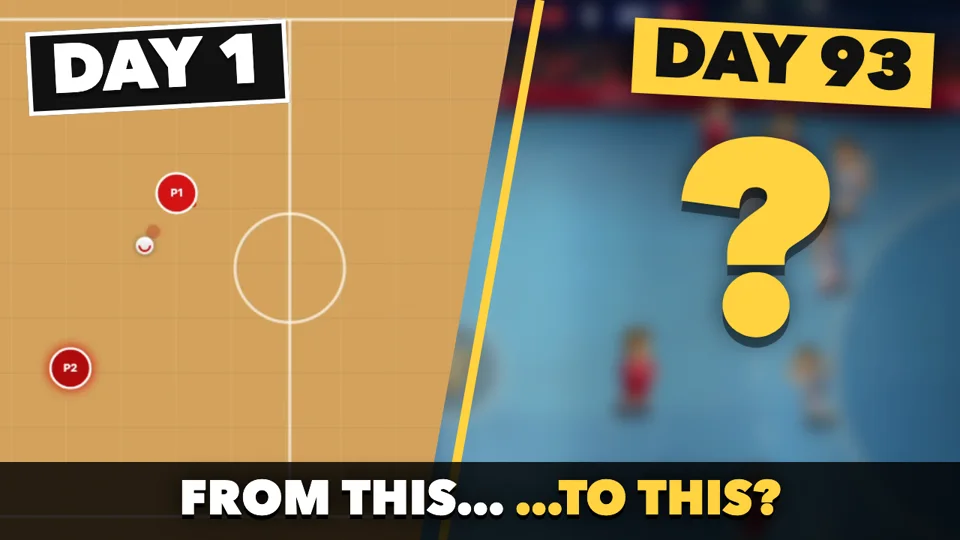
Day 1, day 7, day 93
Everyone has to start somewhere, I guess. Here’s where I started, and where the game stood a week later.
The game is by no means finished, but it has come a long way since then. What it looks like today, ninety-three days in, is at the end of this post.
Arcade or simulation?
I think there’s one core question every sports game has to answer first: arcade or simulation?
Arcade is fun right away: huge jumps, crazy shots, non-stop action. But push it too far, and it stops feeling like handball. It becomes a generic ball game that happens to have handball goals.
Simulation feels authentic. But it takes months, if not years, of game design, modelling, motion capture and so on. For a sport as fast and complex as handball, that would take forever.
So with Hyper Handball, I’m aiming for somewhere in between: a 2D game that’s easy to pick up, fast and fun, but with enough depth that it actually feels like, well, handball. Fast breaks, feints, the Kempa trick and a keeper who reads the shooter belong in. An hour-long match by default doesn’t: a match is two halves of two minutes, and you can stretch a half to thirty if you want to.
The camera
To me, every great game needs a solid core. And the first piece of that core is the camera, because it decides how every single input feels.
Why the TV camera doesn’t work
In a TV broadcast, the main camera sits at the halfway line and pans from that fixed position. That’s great to watch, but it doesn’t work in a video game. Because of the perspective, the lines of the court run diagonally across the screen as soon as the camera turns towards a goal. Pressing “left” would move your player along the sideline, and on screen, that’s diagonally up and to the left. Your thumb says left, your eyes see diagonal. It just feels weird.
A sliding camera instead
Instead, I’m using the sliding camera you probably know from other sports games: a flat view of the court, where left is left, and a camera that slides along with the play. It basically follows the ball. But a camera glued to the ball looks nervous, because every pass would whip the whole picture around. A few thresholds and tweaks make it feel natural:
- 1 Lead. While a team has the ball, the camera aims 4 metres ahead of it, towards the goal it attacks.
- 2 Half across. Sideways it follows only half of the ball’s movement, so a pass from wing to wing doesn’t swing the picture.
- 3 Smoothing. It glides after its target instead of snapping to it: 63 % of the way after 0.4 s, 95 % after 1.2 s.
- 4 Edges. At the end of the hall it stops. You never look at the empty space behind the wall.
The court
40 × 20 metres, obviously?
A real handball court is 40 by 20 metres, so using these measures is straightforward, right? Well, as it turns out, a court at the scale of the players makes moving around feel weirdly slow, and the sliding camera has to adjust constantly. We need something better.
About 26 × 12 metres by default
I tried different sizes and settled on a default court of about 26 by 12 metres, measured relative to the players. Small enough to keep things fast, big enough for a proper fast break. The run from goal area to goal area drops from 4.7 to 2.9 seconds. You can still play on the full court if you want to, it’s just not the default.
Team size
As you probably know, a real handball team has seven players on the court: six field players and a goalkeeper. In Hyper Handball, at least for now, the default is four field players plus the keeper.
Four fits the smaller court better, and it’s simply more fun: with fewer players, each one gets the ball more often. Plus, it still leaves room for things like two-minute suspensions without breaking the game flow. If you want the real line-up, pivot included, 6 + 1 is one click away in the settings, and 3 + 1 is there for a really quick game.
The tech stack
A quick word about the tech stack. Over the years, I’ve worked with plenty of programming languages, but TypeScript is the one I always come back to.
That’s why I’m using Phaser, a framework that lets me write games in TypeScript. The game logic and physics run on the CPU, while the graphics are drawn by the GPU through WebGL. During development, I run the game locally in the browser. For release, I wrap it with Electron to create a desktop bundle, so it runs as a normal app on Windows, Linux and macOS, and thus works with Steam.
Written in
Game framework
PHASER 4
Runs as
Ships on
A nice side effect of building on web technology: the demo on this site is the very same game, running right in your browser.
What’s next
The next episode is about the controls and the computer-controlled opponents. Since this is the very first devlog, please let me know what you’re interested in. Drop your ideas for the game in the comments under the video.
Oh, and I almost forgot: here’s the current version of the game, roughly three months in.